

Data centers face several generator problems that can threaten uptime, making data center generator repair a top priority. Common issues include automatic shutdowns, output fluctuations, starting failures, overheating, and fuel contamination. Reliable power is mission-critical for you because downtime can lead to severe financial loss. Many large enterprises lose about $540,000 per hour when their generators fail, and some Fortune 1,000 companies may see losses reach $1 million per hour. Knowing how to quickly identify and address these problems is essential for effective data center generator repair. Advanced solutions and expert partners help you keep your systems running smoothly. Use this post as a practical resource for data center generator repair and prevention.
Key Takeaways
- Automatic shutdowns can disrupt operations. Regularly inspect cooling systems and monitor voltage levels to prevent these issues.
- Output fluctuations can damage equipment. Conduct routine testing and use smart monitoring systems to stabilize power supply.
- Excessive vibrations can lead to mechanical failure. Check alignment and tighten components during maintenance to reduce risks.
- Battery failures account for most starting troubles. Test batteries regularly and replace them every three years to ensure reliability.
- Corroded connections can prevent generators from starting. Clean terminals and tighten connections to maintain proper function.
- Overheating can cause shutdowns. Regularly check coolant levels and inspect cooling systems to avoid costly repairs.
- Fuel contamination can stop generators. Test fuel regularly and use polishing systems to maintain quality and prevent damage.
- Proper synchronization is crucial for running multiple generators. Always verify settings and use monitoring systems to ensure stability.
Top Generator Problems in Data Centers
Data centers rely on generators to maintain continuous operations. You face several top generator problems that can disrupt uptime and threaten critical systems. Understanding these issues helps you prevent downtime and maintain reliability.
Automatic Shutdowns
Causes and Quick Fixes
Automatic shutdowns rank among the top generator problems in data centers. You may experience these shutdowns due to several factors:
- Power grid instability can force your generator to activate, but sudden outages may trigger shutdowns.
- Overvoltage spikes can damage sensitive equipment, causing your system to shut down to protect itself.
- Cooling and airflow underperformance leads to overheating, which often results in automatic shutdowns.
- On-site power distribution issues, such as faulty PDUs, can interrupt power flow and cause shutdowns.
- Circuit overloading can trip breakers, leading to power loss and generator shutdowns.
These shutdowns matter because they interrupt your data center’s operations and risk costly downtime. You can address automatic shutdowns by:
- Inspecting cooling systems for blockages or failures.
- Monitoring voltage levels and installing surge protection devices.
- Checking PDUs and circuit breakers for faults or overloads.
- Scheduling regular maintenance to identify potential issues before they cause shutdowns.
Tip: LETON POWER’s advanced monitoring systems allow you to track generator performance in real time. You receive alerts for temperature, voltage, and load anomalies, helping you prevent automatic shutdowns before they occur.
Output Fluctuations
Stabilizing Power Supply
Output fluctuations are another top generator problem that can impact your data center’s reliability. These fluctuations cause voltage distortion, which affects downstream equipment and increases wear on battery systems. You may see early battery replacements and more frequent maintenance needs. Output fluctuations also raise the risk of downtime, compromising your operational integrity.
To stabilize your power supply, you should:
- Assess your backup systems to ensure they provide enough wattage for mission-critical functions.
- Conduct routine testing, including monthly no-load and full-load assessments, to prevent startup failures.
- Use smart generator monitoring systems with AI-driven analytics for real-time performance tracking and predictive maintenance.
- Implement enhanced redundancy protocols so additional backup units are available if a generator fails.
- Plan capacity for current and future IT equipment, including redundancy and scalability.
- Optimize efficiency with energy-efficient hardware and cooling solutions.
- Track power usage and balance power in cabinets using monitoring and management systems.
Note: LETON POWER’s diesel generator sets, powered primarily by Dongfeng Cummins and Weichai engines, deliver stable output even under nonlinear loads. Intelligent control systems with Ethernet-enabled remote monitoring help you maintain consistent power quality and quickly respond to fluctuations.
Excessive Vibrations
Mechanical Checks and Solutions
Excessive vibrations represent a top generator problem that can lead to mechanical failure. You may notice vibrations caused by:
- Misalignment of generator components, which increases operational forces and wear.
- Wear in parts like bearings, leading to abnormal vibrations and signaling the need for maintenance.
- Looseness in components, which amplifies minor vibrations and can result in excessive wear or failure.
Excessive vibrations matter because they shorten the lifespan of your generator and increase the risk of unexpected breakdowns. You can address this issue by:
- Inspecting alignment of generator shafts and couplings.
- Checking for worn bearings and replacing them as needed.
- Tightening loose bolts and components during routine maintenance.
- Using vibration monitoring tools to detect problems early.
Tip: LETON POWER, a leading Chinese manufacturer of diesel generator sets, uses Cummins, Perkins, Weichai, Isuzu, and Kubota engines to meet diverse customization needs. Their reputation for affordable, quality products makes them a trusted choice for data center reliability. Regular mechanical checks and advanced monitoring help you minimize vibration-related risks.
Common Generator Problems in Data Centers:
- Wet stacking from insufficient load, leading to unburned fuel buildup and reduced engine performance.
- Improper generator sizing, which can cause both output fluctuations and excessive vibrations.
You can prevent these top generator problems by choosing robust, scalable solutions and following best practices for maintenance and monitoring. LETON POWER’s lifecycle support and predictive maintenance protocols help you keep your data center running smoothly.
Data Center Generator Repair for Starting Failures
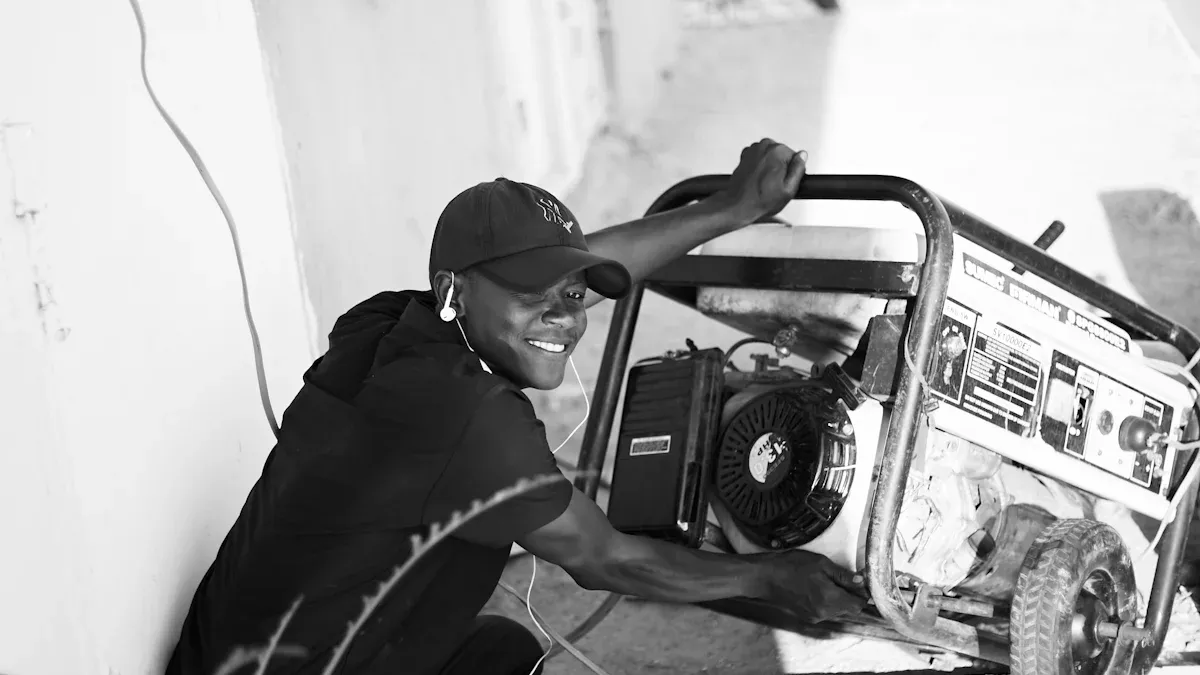
Starting troubles in data centers often lead to urgent calls for data center generator repair. You may notice that your generator fails to start during a power outage, which puts your entire operation at risk. Two main causes stand out: battery failures and corroded connections. Addressing these issues quickly helps you maintain uptime and avoid costly disruptions.
Battery Failures
Testing and Replacement
Battery failures account for over 80% of generator starting troubles in data centers. You might see warning signs such as slow cranking, battery not charging, or complete failure to start. These problems often occur because batteries lose capacity over time, or because charging systems malfunction.
You can prevent battery-related starting troubles by following reliable testing procedures. The table below outlines the most effective steps for identifying battery failures in your data center generator repair routine:
| Testing Procedure | Description |
|---|---|
| Standards alignment | Reference IEEE/IEC/NFPA in SOPs and contractor scopes. |
| Frequency and triggers | Combine scheduled measurements with event-based triggers (after thermal anomalies, UPS events). |
| Thresholds and escalation | Pre-approved criteria for out-of-tolerance results to streamline decision-making. |
| Evidence chain | Time-stamped readings and thermograms linked to work orders for traceability. |
| People and training | Designate competencies for staff and service partners; require safety certifications. |
| Continuous improvement | Trend KPIs to predict lifecycle and inform capital expenditures. |
| Monitoring vs. Testing | Monitoring provides real-time data, while testing validates and detects early trends. |
| Tooling | Use of Fluke BT500 Series and Ti480 PRO for actionable insights and risk identification. |
You should test batteries regularly and replace them when you see signs of battery not charging or declining performance. Always use certified technicians for battery replacement to ensure safety and reliability. LETON POWER recommends integrating remote monitoring systems to track battery health and receive alerts for starting troubles before they impact operations.
Tip: If your generator shows battery not charging, check the charging circuit and connections first. Replace batteries every three years or sooner if you notice starting troubles.
Corroded Connections
Cleaning and Maintenance
Corroded connections can also cause starting troubles and require immediate data center generator repair. You may find corrosion on battery terminals, cable ends, or grounding points. This corrosion increases resistance, which prevents the generator from starting and may trigger battery not charging alerts.
To address corroded connections, follow these steps:
- Inspect all battery terminals and cables for signs of corrosion.
- Clean terminals using a wire brush and approved cleaning solution.
- Apply anti-corrosion spray to prevent future buildup.
- Tighten all connections to ensure proper contact.
- Schedule regular inspections as part of your data center generator repair plan.
You should train your staff to recognize corrosion and respond quickly. LETON POWER’s lifecycle support includes routine inspections and cleaning protocols to help you avoid starting troubles caused by poor connections.
Note: Corroded connections often go unnoticed until starting troubles occur. Regular cleaning and maintenance keep your generator ready for emergencies.
You can reduce downtime and improve reliability by focusing on battery failures and corroded connections. Data center generator repair becomes easier when you use proven testing methods and maintain clean, secure connections. Proactive steps help you avoid battery not charging issues and keep your systems running smoothly.
Generator Runs Without Producing Power
When your generator runs without producing power, you face a critical challenge. The engine may start and sound normal, but your data center equipment receives no electricity. This problem can lead to immediate downtime and puts your operations at risk. You need to act quickly to find the cause and restore power.
Alternator Issues
Diagnosis and Repair
Alternator problems are a common reason your generator runs without producing power. The alternator converts mechanical energy from the engine into electrical energy. If it fails, your generator cannot supply power, even if the engine runs smoothly.
You can diagnose and repair alternator issues by following these steps:
- Visual Inspection: Look for signs like fluid leaks, smoke, frayed wires, or loose parts around the alternator.
- Digital Diagnostics: Use diagnostic tools to check for fault codes and review the event history.
- Fuel System Review: Make sure fuel levels are adequate and that the tank and lines are clean and free of blockages.
- Test Power Components: Check the starter, alternator, control panel, and batteries for proper function.
- Replace Failed Parts: Swap out any damaged or worn components and reset the system controls.
- Run Validation Load: Simulate a full load to confirm the generator produces power reliably.
You should also watch for these issues:
- Worn bearings or winding damage inside the alternator.
- Electrical faults in control boards or sensors.
- Neglected maintenance, which allows small problems to grow.
Tip: Regular inspections and predictive maintenance help you catch alternator problems early. LETON POWER’s advanced monitoring systems can alert you to faults before they cause downtime.
Control Panel Faults
Resetting and Troubleshooting
The control panel acts as the brain of your generator. If it malfunctions, your generator runs without producing power, even if all other systems work. Control panel faults can be tricky, but you can spot and fix many of them with a careful approach.
Common control panel faults include:
| Fault Category | Description |
|---|---|
| Internal Faults | Phase or ground faults in the stator or rotor windings. |
| Abnormal Operating Conditions | Loss of field, overload, over/under voltage, frequency errors, or loss of synchronization. |
You may also see:
- The control panel displays a ‘Non Auto’ message because the main switch is in the off or reset position.
- Other error messages that prevent the generator from starting or producing power.
To reset and troubleshoot the control panel:
- Check the display for error codes or warning lights.
- Make sure all switches are in the correct position.
- Reset the panel if needed and clear any faults.
- Inspect wiring and connections for signs of damage or corrosion.
- Consult your generator’s manual for specific troubleshooting steps.
Note: Always train your staff to recognize control panel alerts and respond quickly. Routine checks and clear procedures help you avoid unexpected outages.
When you understand how to diagnose alternator issues and control panel faults, you can restore power faster and keep your data center running smoothly.
Cooling System and Overheating Issues
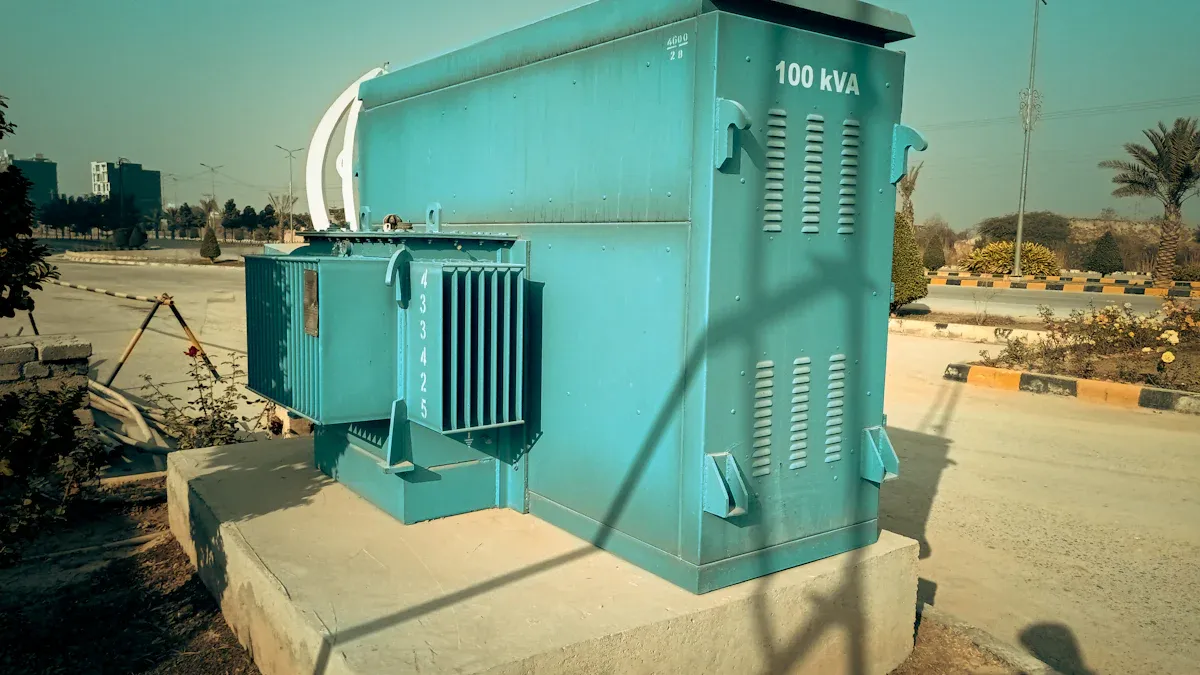
Generators in data centers rely on effective cooling systems to maintain safe operating temperatures. When cooling fails, you risk shutdowns and equipment damage. You need to understand the main causes and know how to perform emergency generator repair to keep your systems running.
Low Coolant or Blockages
Inspection and Refilling
Low coolant levels and blockages often lead to overheating. You should inspect your generator’s cooling system regularly. Common causes include:
- Leaks in hoses or connections that reduce coolant levels.
- Faulty gauges that do not activate the cooling system when needed.
- Damage to the radiator cap that blocks coolant flow.
- Collapsed hoses that prevent proper circulation.
You can prevent these problems by following a simple inspection routine:
- Check coolant levels before each use.
- Look for visible leaks or wet spots around hoses and connections.
- Inspect the radiator cap for cracks or signs of wear.
- Squeeze hoses gently to feel for blockages or collapse.
- Refill coolant as needed, using the type recommended by your generator manufacturer.
If you find a problem, act quickly. Emergency generator repair starts with refilling coolant and replacing damaged parts. You should keep spare hoses, caps, and coolant on hand for fast repairs. Regular inspections help you avoid unexpected shutdowns and keep your data center safe.
Tip: Use thermal imaging cameras to spot overheated components before they fail. This proactive step allows you to target maintenance and avoid downtime.
Overheating Shutdowns
Emergency Generator Repair Steps
Overheating can cause your generator to shut down without warning. You must respond quickly to restore power and protect your equipment. Emergency generator repair involves several steps:
- Implement preventative maintenance to reduce the risk of overheating.
- Use temporary power solutions to keep your data center running during repairs.
- Establish a rental plan for backup generators sized to your actual load.
- Train your team to recognize overheating signs, such as warning lights or rising temperature readings.
- Shut down the generator safely if you detect overheating, then allow it to cool before inspecting.
- Check coolant levels, hoses, and radiator caps for damage.
- Replace faulty parts and refill coolant as needed.
- Restart the generator and monitor temperature closely.
Over-temperature events can damage batteries, power supplies, and hard drives. You should act fast to prevent equipment failures. Emergency generator repair helps you minimize downtime and protect your data center’s critical systems.
🛠️ Always keep a checklist for emergency generator repair. Quick action and regular training ensure your team responds effectively to overheating shutdowns.
Cooling system failures can result from equipment breakdowns, pipe ruptures, fires, or power outages. You need to stay alert and maintain your cooling systems to avoid costly shutdowns. Emergency generator repair gives you the tools to restore power and keep your data center safe.
Fuel and Oil System Problems
Fuel and oil system problems can disrupt your data center’s generator performance and lead to costly downtime. You need to understand how clogged filters, fuel contamination, and oil leaks affect reliability and what steps you can take to fix these issues quickly.
Clogged Filters
Replacement Process
Clogged filters create serious risks for your generator. You may notice reduced airflow and cooling efficiency, which can cause overheating and equipment failures. These problems often result in higher maintenance costs and unexpected downtime. Unplanned IT outages can cost thousands of dollars per minute.
- Clogged filters reduce airflow and cooling efficiency.
- Overheating increases the risk of processing malfunctions or failures.
- Damage or short circuits may occur, leading to expensive repairs.
- Downtime can quickly escalate operational costs.
You should clean or replace filters regularly to keep your generator running smoothly. Start by inspecting the air, fuel, and oil filters for dirt or debris. Remove and dispose of clogged filters according to manufacturer guidelines. Install new filters and check for proper fit. Always follow a schedule for filter maintenance to prevent future problems. Clean or replace filters before they become a threat to your data center’s uptime.
🛠️ Tip: Set reminders for filter inspections and replacements. Preventative action helps you avoid overheating and costly outages.
Fuel Contamination
Cleaning and Prevention
Fuel contamination can stop your generator from working when you need it most. Water, sludge, and microbial growth in fuel tanks can damage engine components and reduce efficiency. You must use effective methods to detect and prevent contamination.
| Method | Description |
|---|---|
| Water Controllers | Chemical treatments absorb dissolved water and prevent microbial growth. |
| Sludge Dispersants | Break down sludge and biomass for easier removal. |
| Fuel Polishing | Mechanical filtration removes water, sediment, and microbes from stored fuel. |
| Tank Cleaning | Physical removal of sludge and biomass from tank bottoms and walls. |
| Microbial Contamination | Biocide treatment followed by filtration to remove dead biomass. |
| Water and Sediment | Mechanical removal and chemical water control. |
| Fuel Instability | Polishing and stabilizer treatment to restore fuel quality. |
| Tank Sludge | Chemical dispersant and mechanical cleaning. |
| Regular Testing | Schedule tests based on fuel criticality and storage conditions. |
| Emergency Response Protocols | Diagnose issues quickly to prevent misrepair and downtime. |
| Documentation and Trending | Keep detailed records of fuel tests and treatments. |
| Chemical Treatment Programs | Use targeted treatments for specific fuel conditions. |
You should test fuel regularly and keep records of all maintenance. Use fuel polishing and chemical treatments to maintain clean fuel. Respond quickly to contamination to avoid generator failures.
Oil Leaks
Detection and Repair
Oil leaks can damage your generator and threaten your data center’s reliability. Early detection is essential. You can use advanced leak detection systems designed for diesel generators. These systems include addressable sensing cables and digital monitoring panels that pinpoint leak locations. Some solutions, like the Digi-Flex Series, monitor up to 2,000 meters and detect multiple leaks at once. They work in harsh environments and provide real-time alerts.
- Addressable sensing cables and digital panels locate leaks precisely.
- Reliable systems detect multiple leaks, even in polluted or wet conditions.
- Real-time remote monitoring helps you respond quickly.
- UV-resistant cables withstand tough environments.
Inspect your generator for oil leaks during every maintenance cycle. Install leak detection systems for continuous monitoring. If you find a leak, repair it immediately and check for damage to surrounding components. Fast action prevents further problems and keeps your generator ready for emergencies.
🚨 Note: Early detection and prompt repair of oil leaks protect your data center from unexpected outages and costly repairs.
Paralleling and Synchronization Issues
Generator Paralleling Problems
Synchronization Solutions
You often need to run multiple generators in parallel to meet your data center’s power demands. Paralleling generators increases reliability, but it also introduces risks if synchronization is not handled correctly. When you connect a generator out-of-phase, you can cause a large transient. This may result in a violent kick as the generator tries to match the grid, leading to a current spike that can be several times the generator’s rating. Such events threaten both equipment and safety.
Correct synchronization is crucial. If you do not synchronize properly, equipment can trip and power continuity may be lost. Safety devices like synchronism-check relays block breaker closure when parameters are outside safe limits. You should always verify these devices are working before connecting generators.
Load sharing imbalance is another common issue. When generators fail to share the load proportionally, one unit may become overloaded while others remain underutilized. This imbalance can result from incorrect droop settings, differences in generator impedances, or control system faults. You need to check these settings regularly and adjust them as needed.
Protective relay trips can occur due to faults such as overcurrent, undervoltage, reverse power flow, or ground faults. Investigate the cause of any trip instead of simply resetting the relay. This helps you prevent recurring problems and maintain stable operations.
Tip: Use advanced monitoring systems to track synchronization parameters in real time. LETON POWER’s intelligent controllers provide event logging and remote access, helping you catch issues before they affect uptime.
Common Paralleling and Synchronization Issues:
- Out-of-phase connection causing transients and current spikes
- Incorrect synchronization leading to equipment trips
- Load sharing imbalance from control or setting errors
- Protective relay trips due to electrical faults
UPS and Power Quality Failures
Maintenance Protocols
Your data center’s UPS systems protect critical loads from power interruptions and quality issues. Failures in UPS or generator synchronization can disrupt operations. You need to understand the main causes and apply proven maintenance protocols.
| Cause of Failure | Mitigation Strategy |
|---|---|
| Battery Failures | Regular maintenance and timely replacement of UPS batteries. |
| Generator Stability Issues | Regular servicing to ensure stable frequency output and adjust UPS settings as needed. |
| Environmental Factors | Maintain a controlled environment for UPS systems to prevent dust and temperature issues. |
| Poor Maintenance and Component Failure | Develop a maintenance schedule and inspect for wear and tear regularly. |
| Software and Firmware Bugs | Keep firmware updated and back up configurations regularly. |
| Human Error | Train personnel on proper operation and restrict access to critical settings. |
| Manufacturer Defects | Monitor for recalls and choose reputable brands. |
| Improper Installation | Ensure installation by certified professionals. |
| Aging Parts | Regularly assess and plan for replacements of aging components. |
| Improper Grounding or Electrical Interference | Ensure proper grounding and use shielding to reduce interference. |
You should automate failover procedures to minimize human error during outages. Monthly full-load testing prepares your systems for emergencies. Monitor battery health, temperature, and humidity in real time for optimal performance. Routine generator maintenance, including step-load bank tests, verifies performance under full load. Annual lab testing of engine oil and fuel quality ensures readiness.
Transient stability studies simulate critical conditions before faults occur. These studies provide insights that protect uptime and asset health. Run time-domain simulations to test edge conditions, introduce disturbances to measure stabilization times, and check synchronization between multiple power sources.
🛡️ Note: Proactive maintenance and regular testing help you avoid UPS and power quality failures. You keep your data center reliable and ready for any challenge.
Emergency Generator Repair and Noise Control
Emergency Shutdowns
Safe Restart Procedures
You must act quickly when your data center faces unexpected shutdowns. Rapid response keeps your systems online and protects critical data. Emergency generator repair starts with a clear plan. You need to identify the cause of the shutdowns and follow safe restart procedures.
| Strategy | Description |
|---|---|
| Portable power systems | Use these for emergency response or maintenance bypass. |
| On-site energy storage | Disconnect from the main grid and sustain operations with stored energy. |
| Advanced Troubleshooting | Apply systematic diagnostic protocols to find the root cause fast. |
| Temporary Generator Solutions | Deploy rental generators to maintain operations during repairs. |
- Emergency teams mobilize with specialized tools and common repair parts. This approach minimizes downtime and restores power quickly.
Follow these best practices for safe restart procedures:
- Inspect the generator for visible damage or leaks.
- Check fuel, oil, and coolant levels before restarting.
- Review control panel alerts and clear any faults.
- Reset the system according to manufacturer guidelines.
- Start the generator and monitor output closely.
- Confirm stable power delivery before reconnecting critical loads.
🛠️ Tip: Train your staff to respond to shutdowns with a step-by-step checklist. Regular drills improve confidence and speed during emergencies.
Noise Reduction Measures
Soundproofing and Compliance
Data center generators can produce significant noise, which may affect nearby communities and violate local regulations. You need effective noise reduction measures to maintain compliance and minimize disruptions.
| Noise Reduction Measure | Description |
|---|---|
| Environmental Noise Assessment | Identify sensitive areas and predict noise impact. |
| Regular Monitoring and Compliance | Track noise levels to ensure you meet regulations. |
| Noise Mitigation Retrofits | Upgrade equipment and install barriers if complaints arise. |
| Working with Acoustical Consultants | Engage experts for tailored solutions and compliance assurance. |
| Silent Cooling Systems | Use quiet cooling technologies like liquid immersion cooling. |
You can reduce generator noise by installing acoustic barriers and using silent cooling systems. Regular monitoring helps you stay within legal limits. Work with acoustical consultants to design solutions that fit your facility and local requirements.
📢 Note: Always conduct environmental noise assessments before installing new equipment. This step helps you predict and prevent compliance issues.
Best practices for minimizing operational disruptions include scheduling noisy maintenance during off-peak hours and using soundproof enclosures. You should document all noise control measures and review them during audits.
Emergency generator repair and noise control require rapid response and professional support. You protect uptime and maintain good relationships with your community by following these strategies.
You protect your data center from costly downtime when you focus on regular maintenance and rapid troubleshooting and repairing a generator. Output fluctuations and circuit breakers frequently tripping often signal deeper issues. The table below shows how maintenance practices help reduce data center power outage and improve longevity:
| Maintenance Practice | Benefit to Downtime Reduction |
|---|---|
| Filter replacements | Ensures optimal airflow and cooling efficiency |
| Coil and condenser cleaning | Prevents overheating and maintains performance |
| Refrigerant checks | Ensures proper cooling function |
| Sensor recalibration | Maintains accurate monitoring and control |
| Environmental monitoring | Identifies issues before they escalate |
You should schedule an annual professional service and monitor for too much smoke or odor. Regular maintenance and best practices for generator uptime help you manage output fluctuations and extend generator longevity. Measures to improve generator longevity include routine inspections and addressing fluctuations early. If you notice output fluctuations or circuit breakers frequently tripping, act quickly to prevent a data center power outage. Reach out to trusted partners for advanced solutions and lifecycle support. For more information, explore resources on troubleshooting and repairing a generator and common reasons for generator failure.
FAQ
What is the most common generator problem in data centers?
Battery failure is the most frequent issue. You should test batteries regularly and replace them every three years to avoid unexpected downtime.
How often should you perform generator maintenance?
You should schedule monthly inspections and annual professional servicing. Routine checks help you catch problems early and keep your data center running.
Why does my generator run but not produce power?
Alternator faults or control panel errors often cause this. Inspect wiring, reset the control panel, and test the alternator to restore power.
How can you prevent fuel contamination?
Test fuel regularly and use fuel polishing systems. Chemical treatments and tank cleaning help you maintain fuel quality and prevent engine damage.
What steps should you take during an emergency shutdown?
- Inspect for damage or leaks.
- Check fluid levels.
- Clear control panel faults.
- Restart safely following manufacturer guidelines.
How do you reduce generator noise in a data center?
Install acoustic barriers and use silent cooling systems. Regular noise monitoring ensures compliance with local regulations.
What is generator paralleling, and why is it important?
Generator paralleling means running multiple units together for higher reliability. Proper synchronization prevents equipment damage and ensures stable power delivery.
Can remote monitoring improve generator reliability?
Yes. Remote monitoring lets you track performance, receive alerts, and schedule maintenance before issues cause downtime.

